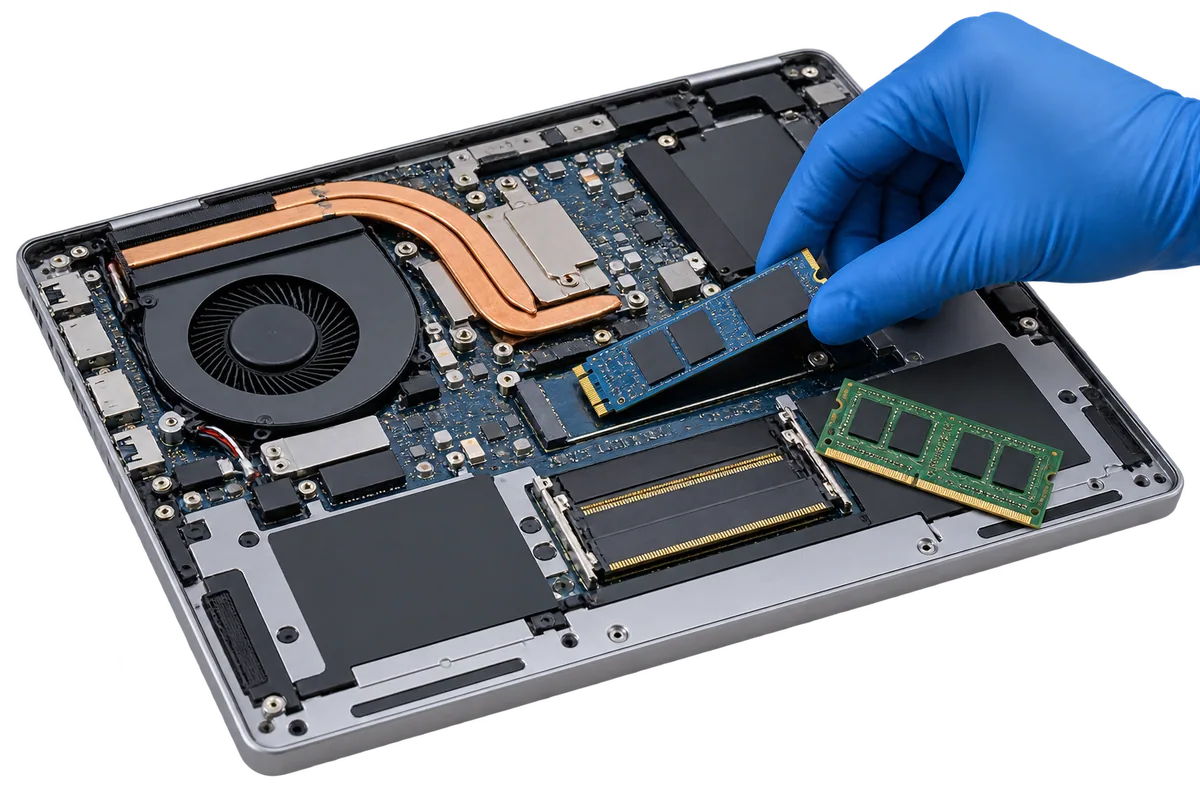

What is the difference between RAM and an SSD?
RAM is temporary working memory for the programs you use. Storage holds your operating system, applications and files. More of one does not automatically replace the need for the other. Kingston explains the distinction between memory and storage.
Moving from a mechanical hard drive to a suitable SSD can improve access to programs and files. More memory can help when the workload exceeds the available RAM. The result depends on the machine and the actual bottleneck; neither upgrade is a universal cure for every slowdown.
Start with when the slowdown happens
Describe what you notice rather than choosing a component first. Does startup take a long time? Does the laptop struggle only with several applications open? Is one particular program slow? Are there crashes, unusual sounds or excessive heat as well?
Record when the problem began and anything that changed around that time. Keep exact error messages or a screenshot where practical. Avoid sending private documents or passwords. These details help distinguish a performance requirement from a fault that needs separate repair assessment.
Microsoft's Windows performance guidance covers several possible causes, including startup applications and limited storage. That is a useful reminder that slow performance alone does not identify which component to replace. Do not remove unfamiliar files or reset a computer simply to test a guess.
Check your laptop's upgrade compatibility
Send the full brand and model, not just “an HP laptop” or the processor name. If you know the current RAM and drive specification, include those details. An assessment needs to establish the supported parts and whether the device can be upgraded as proposed.
Manufacturers' specifications matter. Kingston's compatibility lookup allows searches by system make and model. A matching connector or a familiar-looking memory module is not enough evidence to purchase a part. Do not assume every laptop has an available memory slot or supports the same SSD.
An upgrade also needs to make sense alongside the condition of the battery, screen, cooling and other components. A compatible part may still be poor value for a device with several unresolved faults. Discuss repair, upgrade and replacement as different options rather than assuming one route is always cheapest.
How much does an SSD or RAM upgrade cost in Nairobi?
Husaini does not publish a fixed SSD or RAM upgrade tariff. The exact compatible part, capacity, device condition, fitting requirements and any agreed data work determine the quotation. Ask what the quote includes before approving it.
A useful quote identifies the proposed component and capacity, any work on the existing drive, the agreed checks and the applicable parts or service terms. Confirm availability and timing for the actual job. This guide does not establish a fitting fee, free data transfer, a warranty period or same-day completion.
What happens to the files on the old drive?
Discuss your files before any storage work. Make a separate backup where possible and confirm which files, applications and account access matter. Moving to another drive and recovering information from a failing drive are different tasks.
Do not assume that every program, licence, setting or damaged file can be transferred. Confirm whether the proposed work involves migration, a fresh installation or retaining the old drive, and what each option requires. If important files cannot be accessed, explain that first rather than repeatedly trying unplanned recovery steps.
Prepare a useful upgrade enquiry
Include:
- The laptop brand and exact model.
- Current RAM and storage, if known.
- The applications you use and when the slowdown occurs.
- Any errors, overheating or other faults.
- Storage capacity needs, important files and a realistic budget.
Use the computer-upgrades service to discuss compatibility, or the repair page if the machine has an unresolved fault. For a wider assessment checklist, read the PC repair guide. Review your enquiry on the contact page before opening WhatsApp; you still choose whether to send it.
Frequently Asked Questions About Laptop Upgrades
Should I upgrade RAM or install an SSD first?
Choose after reviewing the current specification and the actual slowdown. RAM and storage address different constraints. A fault, software issue or another component may need attention instead.
Can any laptop be upgraded to 16GB RAM?
No universal answer applies. The exact model, memory configuration and manufacturer specifications determine the available options. Confirm compatibility before buying memory.
Will an SSD upgrade include transferring my files?
Only if the data work is included in the agreed quotation. Confirm what can be transferred, backup responsibilities and any installation or licence requirements before proceeding.
Is it better to upgrade or replace my laptop?
Compare its overall condition, compatible options, required applications and total cost. An assessment can help you decide; an upgrade is not automatically the best option for every machine.